How Does IPTV Work?
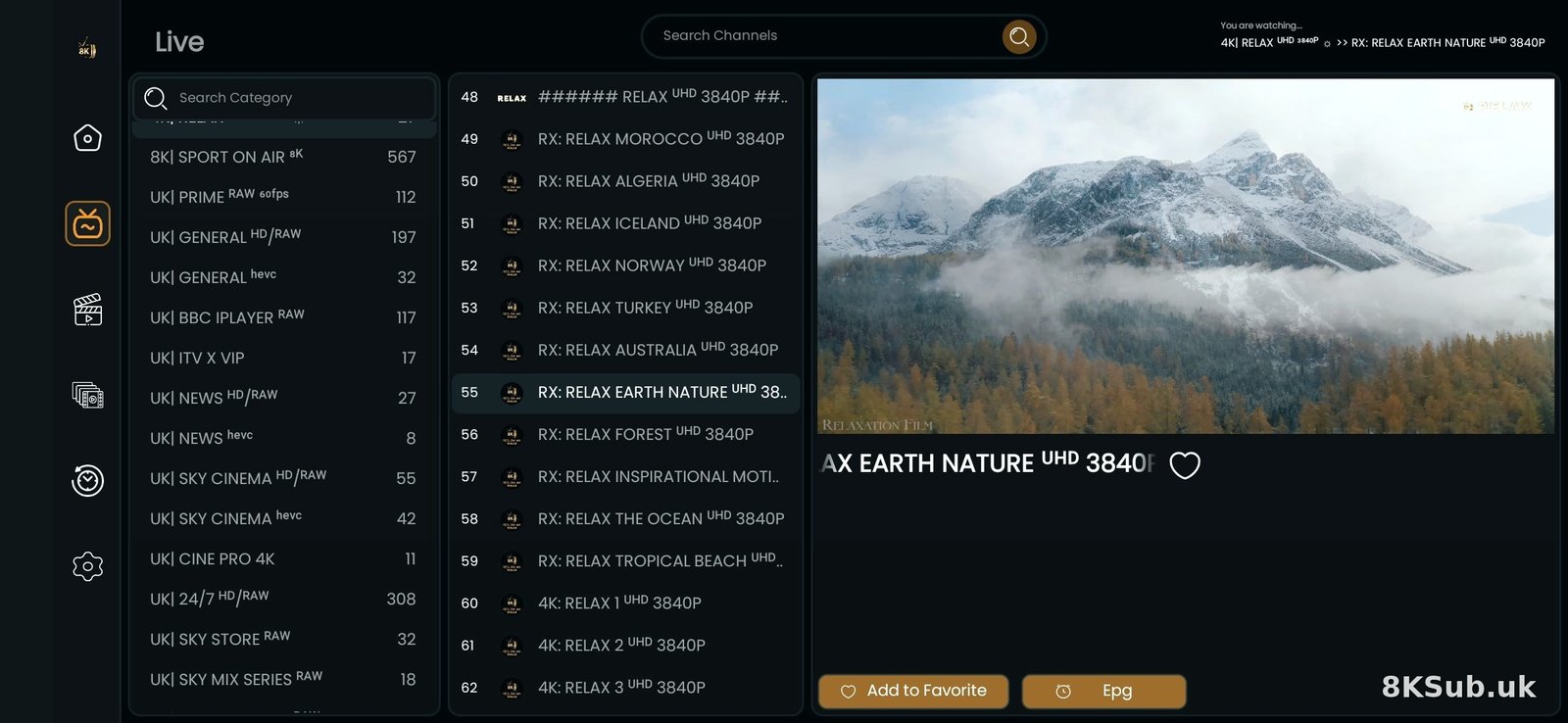
Unlike traditional TV broadcasting, IPTV uses your internet connection to deliver television content. Here's the technical process simplified:
The IPTV Process
- Content Source: TV channels and video content are hosted on servers
- Internet Delivery: Content travels through internet infrastructure
- Your Device: An IPTV app on your device receives and decodes the stream
- Your Screen: You watch on your TV, phone, tablet, or computer
Types of IPTV Services
1. Live TV
Real-time streaming of television channels as they broadcast. Just like traditional TV but delivered via internet.
- Watch channels as they air
- News, sports, entertainment in real-time
- Same schedule as traditional TV
2. Video on Demand (VOD)
Movies and TV series available to watch anytime, similar to Netflix or Amazon Prime.
- Watch what you want, when you want
- Large library of movies and shows
- No scheduling constraints
3. Time-Shifted TV
Watch programmes that have already aired.
- Catch-up TV (watch shows from past 7 days)
- Start-over (restart live programmes)
- Pause live TV
IPTV vs Traditional TV
| Feature | IPTV | Traditional TV |
|---|---|---|
| Delivery Method | Internet | Aerial/Satellite/Cable |
| Channel Count | Thousands | Hundreds |
| VOD Content | Extensive libraries | Limited or none |
| Portability | Any device, anywhere | Fixed location |
| Cost | Lower monthly cost | Higher subscription fees |
| Contracts | Usually monthly | Often 12-24 months |
Benefits of IPTV for UK Viewers
💰 Cost Savings
- Significantly cheaper than Sky or Virgin Media
- No expensive equipment rental
- No long-term contracts
- Pay only for what you watch
📺 Content Variety
- Access to 120,000+ channels worldwide
- All UK channels including Sky and BT
- International content
- Massive VOD libraries
📱 Multi-Device Support
- Watch on Firestick, Smart TV, phone, tablet
- Switch between devices seamlessly
- Watch at home or on the go
⚡ Flexibility
- Monthly subscriptions
- Easy to cancel anytime
- Free trials available
- No installation engineer visits
What You Need to Get Started
Essential Requirements
- Internet Connection: Minimum 10 Mbps for HD, 25 Mbps for 4K
- Streaming Device: Firestick, Smart TV, Android box, or computer
- IPTV Subscription: From a reputable provider
- IPTV App: Player software on your device
Recommended Setup for UK Viewers
- Device: Amazon Firestick 4K (£40-50)
- Internet: Fibre broadband (30+ Mbps)
- Connection: Ethernet adapter for stability
- App: IPTV Smarters Pro or TiviMate
Is IPTV Legal in the UK?
This is the most common question about IPTV. Here's the straightforward answer:
The Technology is Legal
IPTV as a technology is completely legal. Many legitimate services use IPTV:
- BBC iPlayer
- ITV Hub
- Sky Go
- BT Sport App
- Netflix, Amazon Prime, Disney+
Content Sources Matter
The legality depends on where the content comes from:
- Legal: Licensed content from authorised distributors
- Grey Area: Content from various internet sources
For Personal Use
Using IPTV for personal viewing in your home is generally tolerated. However:
- Don't redistribute or share commercially
- Use reputable providers
- Consider VPN for additional privacy
- Understand the risks involved
How to Choose an IPTV Provider
What to Look For
- Free Trial: Always test before buying
- UK Channel Selection: BBC, ITV, Sky, BT Sport
- Reliability: 99%+ uptime guarantee
- Support: Responsive customer service
- Reviews: Check recent user feedback
Red Flags to Avoid
- ❌ No free trial offered
- ❌ Prices too good to be true
- ❌ No contact information
- ❌ Requires suspicious apps
- ❌ No money-back guarantee
Getting Started with IPTV
Step-by-Step for Beginners
Step 1: Get a Device
Buy an Amazon Firestick from Amazon, Argos, or Currys. The 4K Max model is recommended.
Step 2: Set Up Your Device
- Plug Firestick into TV HDMI port
- Connect to power
- Connect to WiFi
- Complete Amazon account setup
Step 3: Find a Provider
- Research online
- Read reviews
- Request free trials
- Compare channel lists
Step 4: Install IPTV App
- Enable "Apps from Unknown Sources" in settings
- Install Downloader app
- Download IPTV player (IPTV Smarters Pro recommended)
- Install and open the app
Step 5: Configure and Watch
- Enter your provider credentials
- Wait for channels to load
- Start watching!
Common Myths About IPTV
❌ Myth: IPTV is Complicated
✅ Reality: Modern IPTV is as easy as using Netflix. Apps are user-friendly and setup takes 10-15 minutes.
❌ Myth: You Need Technical Knowledge
✅ Reality: If you can use a smartphone, you can use IPTV. No technical expertise required.
❌ Myth: IPTV Always Buffers
✅ Reality: With good internet (15+ Mbps) and a reliable provider, buffering is rare.
❌ Myth: It's Expensive
✅ Reality: IPTV typically costs £25-65 for 3-12 months, much cheaper than Sky or Virgin.
Future of IPTV in the UK
IPTV technology continues to evolve:
- 4K and 8K Streaming: Higher quality becoming standard
- Improved Apps: Better user interfaces and features
- 5G Integration: Mobile streaming without WiFi
- AI Recommendations: Smart content suggestions
- Cloud DVR: Recording without local storage
Ready to Try IPTV?
Now you understand what IPTV is and how it works. The next step is to experience it yourself.
Start Your IPTV Journey
Get a free 24-hour trial and see why millions of UK viewers have switched to IPTV.
Get Free TrialFrequently Asked Questions
What's the difference between IPTV and streaming services like Netflix?
Netflix offers on-demand content only. IPTV provides live TV channels (like traditional TV) plus on-demand content. IPTV gives you the channel-surfing experience with thousands of live channels.
Do I need a satellite dish for IPTV?
No! IPTV works through your internet connection only. No dishes, no aerials, no cables.
Can I use IPTV on multiple TVs?
Yes, but typically one subscription allows one device at a time. You can move your Firestick between TVs or get multi-connection plans for simultaneous viewing.
Will IPTV work with my existing TV?
If your TV has an HDMI port (virtually all modern TVs do), you can use IPTV with a Firestick or similar device.
How much internet data does IPTV use?
Approximately:
- SD quality: 1 GB per hour
- HD quality: 3 GB per hour
- 4K quality: 7 GB per hour
Most UK broadband packages are unlimited, so this isn't usually a concern.
Last updated: April 2026. Technology and regulations subject to change.